16 landing page examples + tips to reach your customers
Share 16 landing page examples + tips to reach your customers
Explore more from
Design basics
From wireframe to website, faster
Design, prototype, and refine every page.

Getting people onto your website is one thing. Getting them to take action—sign up, buy, register—is another. That’s where effective landing pages come in.
With the right design, a landing page guides visitors toward a clear goal—and increases conversions. A focused layout, minimal distractions, and visuals aligned with user intent can also help lower your cost per lead.
Read on to learn:
- 16 landing page examples and customization ideas
- Landing page best practices
Example 1: Product launch landing page

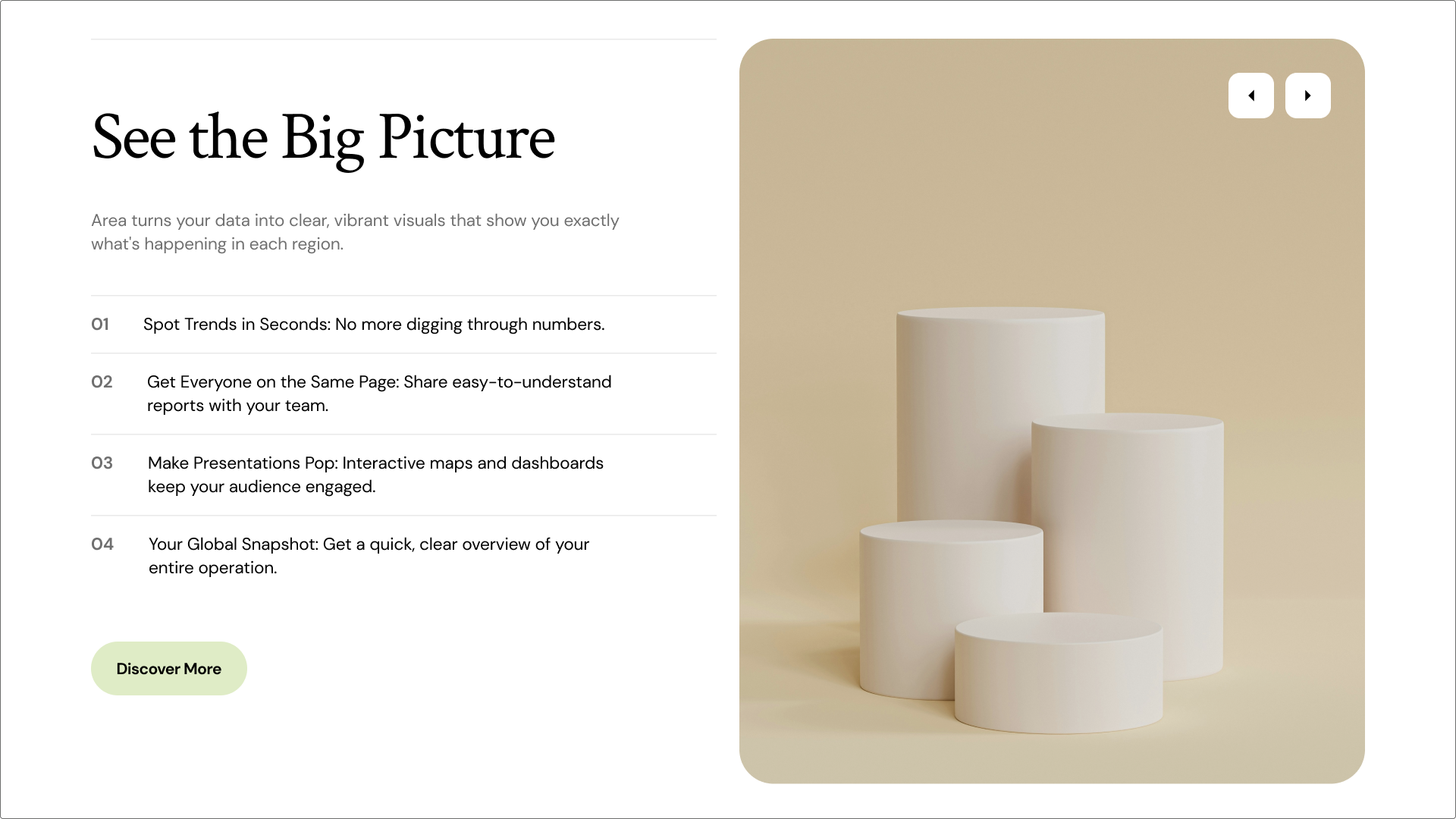
A successful product launch generates excitement, connects with users, and provides clarity to potential customers. This modern product launch template is designed for maximum impact, leading with a compelling headline and a strong hero visual to instantly communicate the product’s core value.
The product landing page design is clean with plenty of white space. ensuring feature highlights and pricing tiers are easy to digest. The “Discover More” button lets visitors explore the product before committing.
Tip for motivating customer action: Use social proof, such as quotes from beta testers, to build instant trust and credibility.
Make it yours: Update the color palette and typography to reflect your brand. Swap in high-fidelity product mockups or an animated GIF to show the product in use.
Example 2: Gym landing page

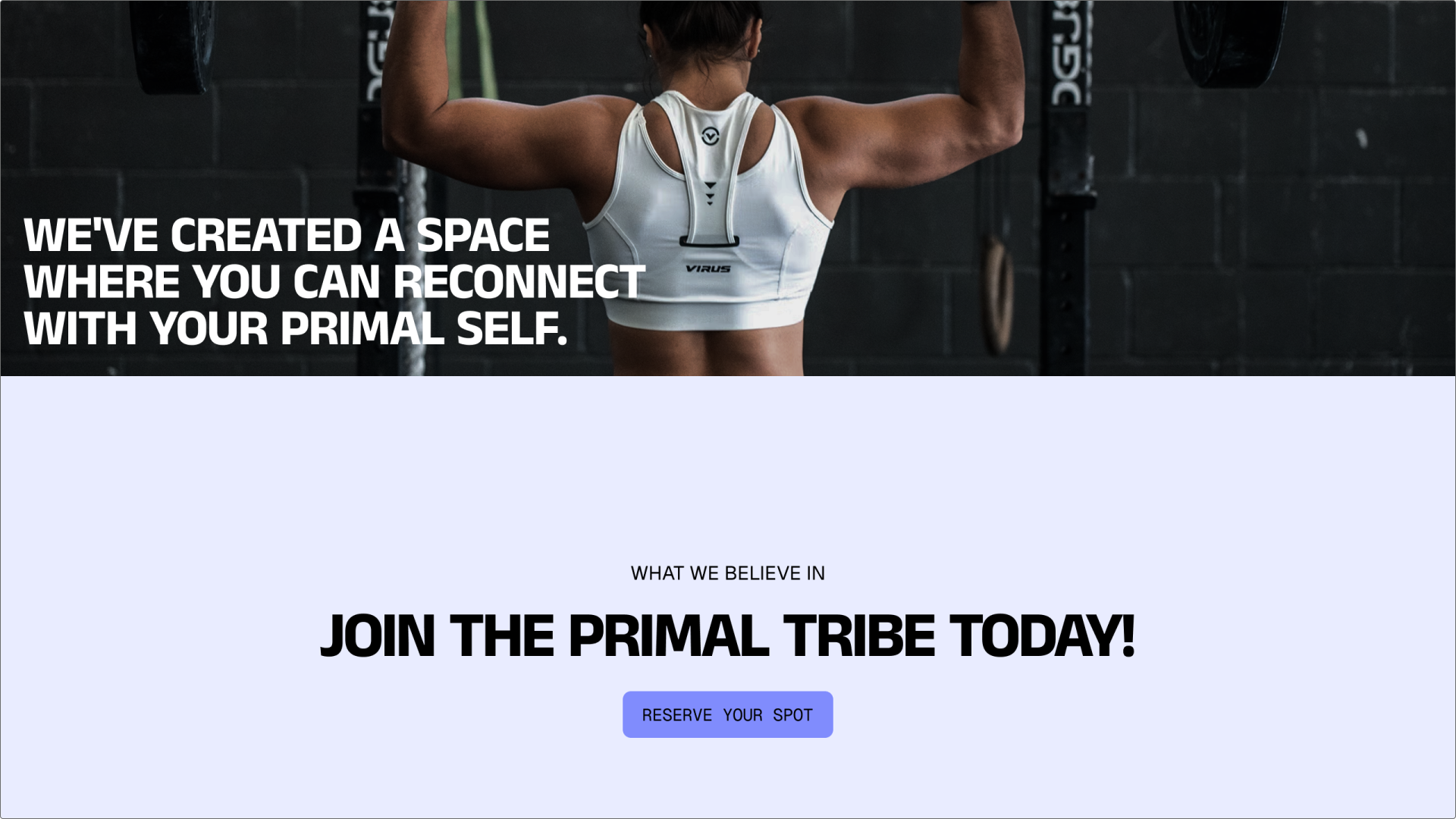
Bold imagery and results-oriented language help this performance-driven template connect with people motivated by fitness goals. It includes space for class schedules, testimonials, and facility features, helping reduce hesitation and encourage sign-ups.
The layout emphasizes professional yet energetic visuals, giving visitors confidence that they can achieve their desired outcomes. It also emphasizes community and encourages viewers to join.
Tip to motivate customer action: Offer an easy entry point, like a free seven-day pass or a complimentary personal training session. Capture leads by clearly highlighting the transformation a customer can expect, not just the features of the gym.
Make it yours: Use real photos of your facility and trainers to establish a local, personal connection. Add a simple tool to check class availability by day or location.
Example 3: Legal service landing page

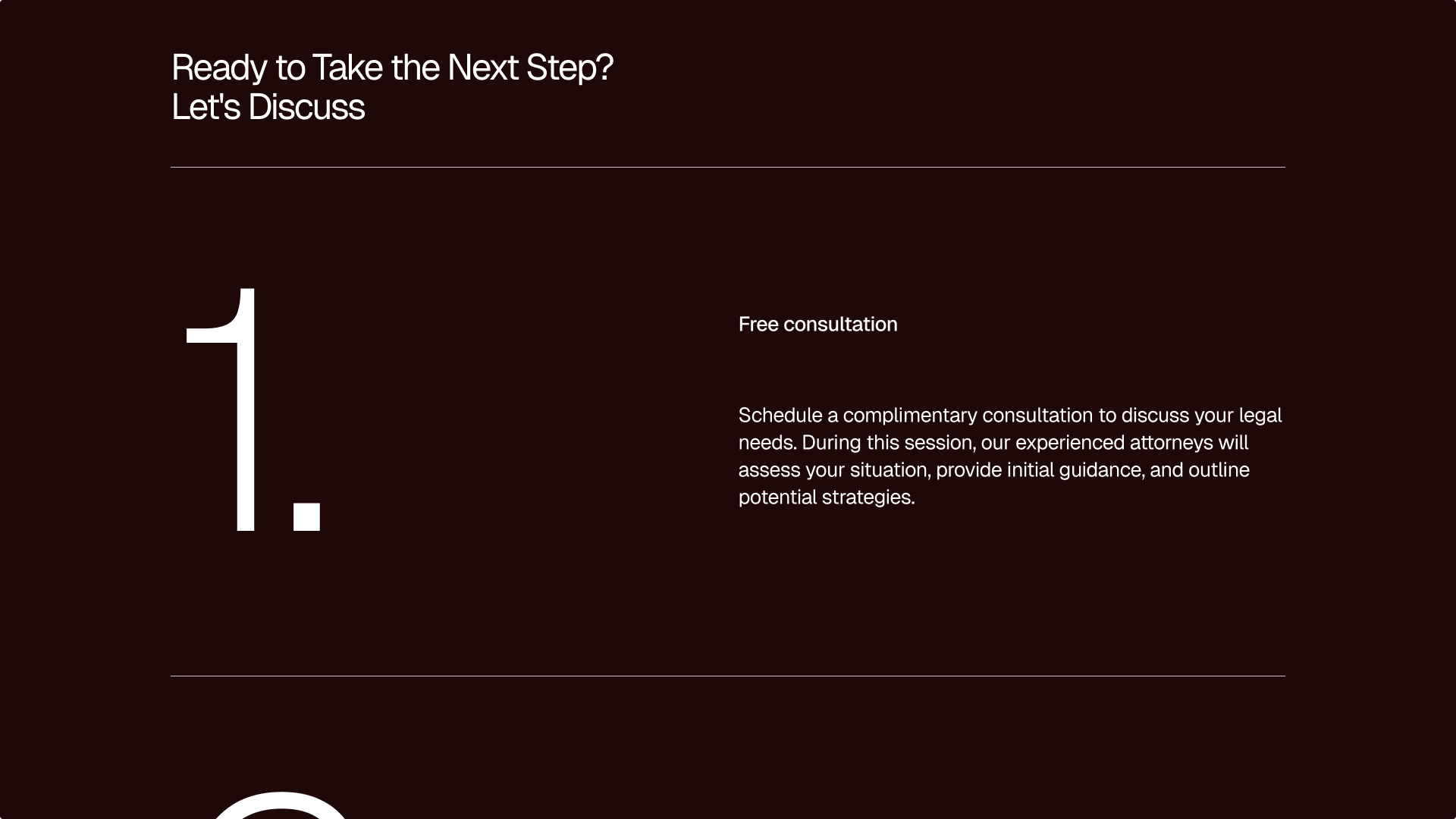
Trust and professionalism are essential for anyone seeking legal help. This professional legal services template uses a muted color scheme and a structured layout to convey reliability and expertise.
Dedicated sections highlight practice areas, lawyer credentials, and client quotes. The design prioritizes ease of contact, ensuring potential clients can quickly book a confidential consultation.
Tip to motivate customer action: Use professional headshots and clear bios of your legal team to humanize the service. Add accreditation logos and a detailed privacy policy link near the consultation form to reassure visitors about confidentiality.
Make it yours: Customize the practice area descriptions to match your specialization, whether that’s corporate law, family law, or estate planning. Insert quotes from past clients who’ve been satisfied with your services.
Example 4: Financial services landing page

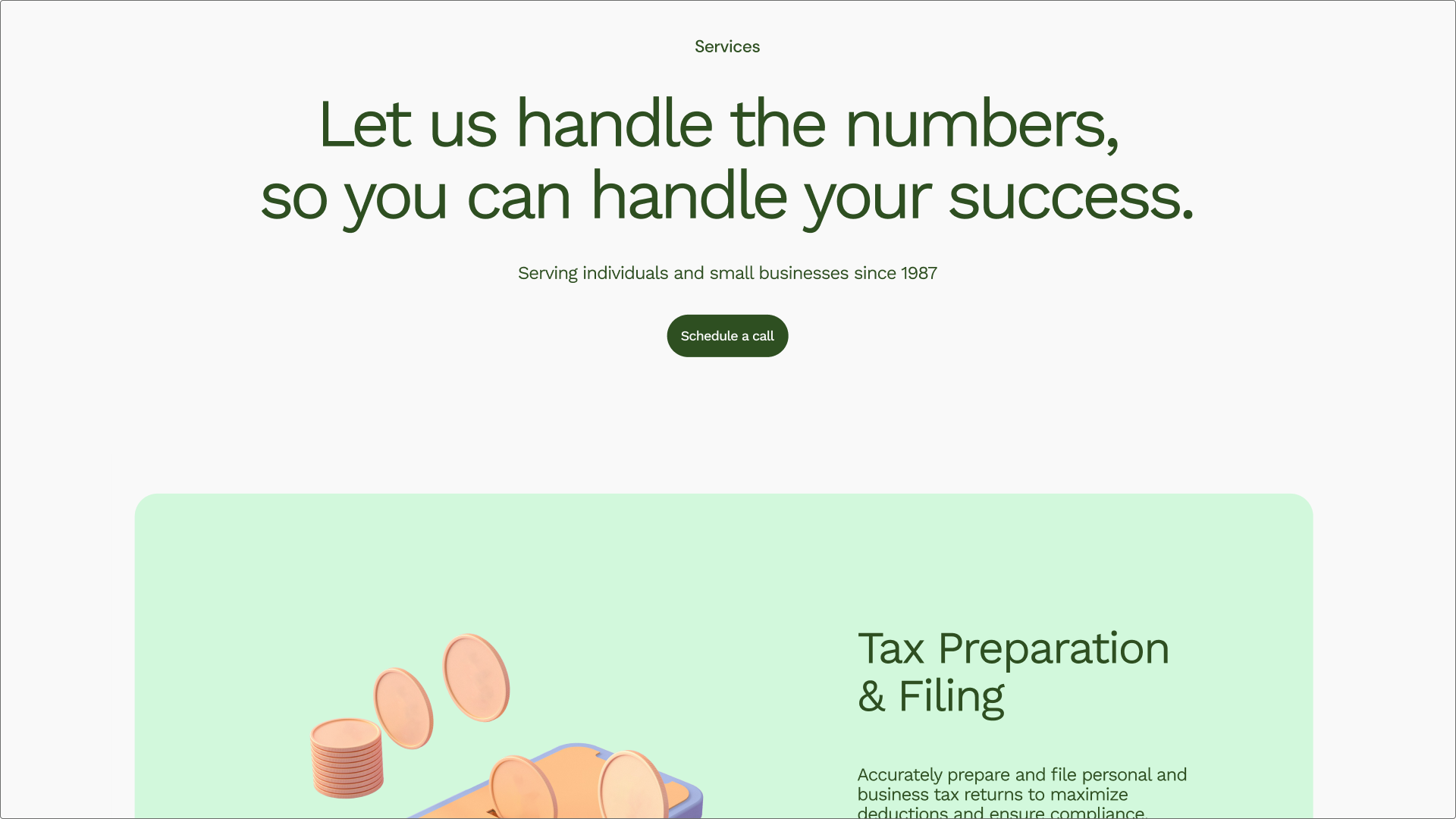
Managing money can be intimidating, so this friendly accounting services template keeps things approachable, clear, and trustworthy. It simplifies complex topics through clean layouts, friendly typography, and plain-language copy.
Key web design elements make it easy to outline the client onboarding process, show transparent pricing, and include testimonials to establish credibility and confidence. The goal is to establish your services as a supportive partner, not just a spreadsheet processor.
Tip to motivate customer action: Add an interactive quiz or a simple calculator to help visitors understand which services they need, while also capturing leads.
Make it yours: Tailor the messaging to your audience, like freelancers or small businesses, and use data-driven visuals to highlight outcomes you’ve delivered.
Example 5: E-commerce landing page

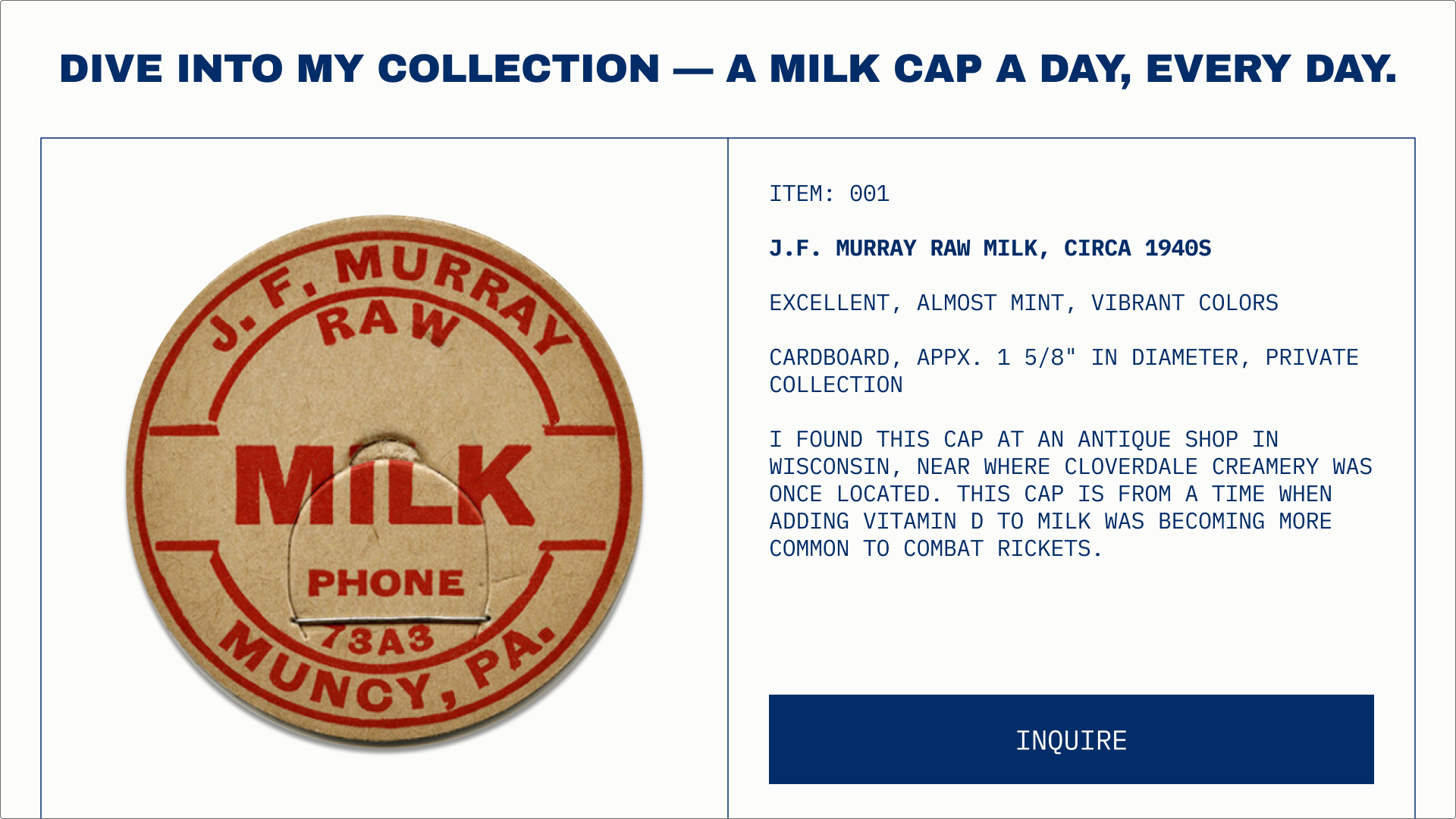
E-commerce sites for personal collectors’ items should prioritize product showcases and narratives. This template is designed to appeal to niche hobbyists and enthusiasts, with high-resolution imagery and a layout that tells the story behind the collection.
The overall design is clean and image-forward, ensuring the unique products (milk caps) take center stage.
Tip to motivate customer action: Use video or 360-degree photography to show the details. Add a “Curator’s Note” to highlight craftsmanship, rarity, or the item’s backstory.
Make it yours: Adapt the color scheme to match the tone—luxury, vintage, or playful. Connect your product cards to an e-commerce backend to streamline purchases.
Example 6: Agency landing page

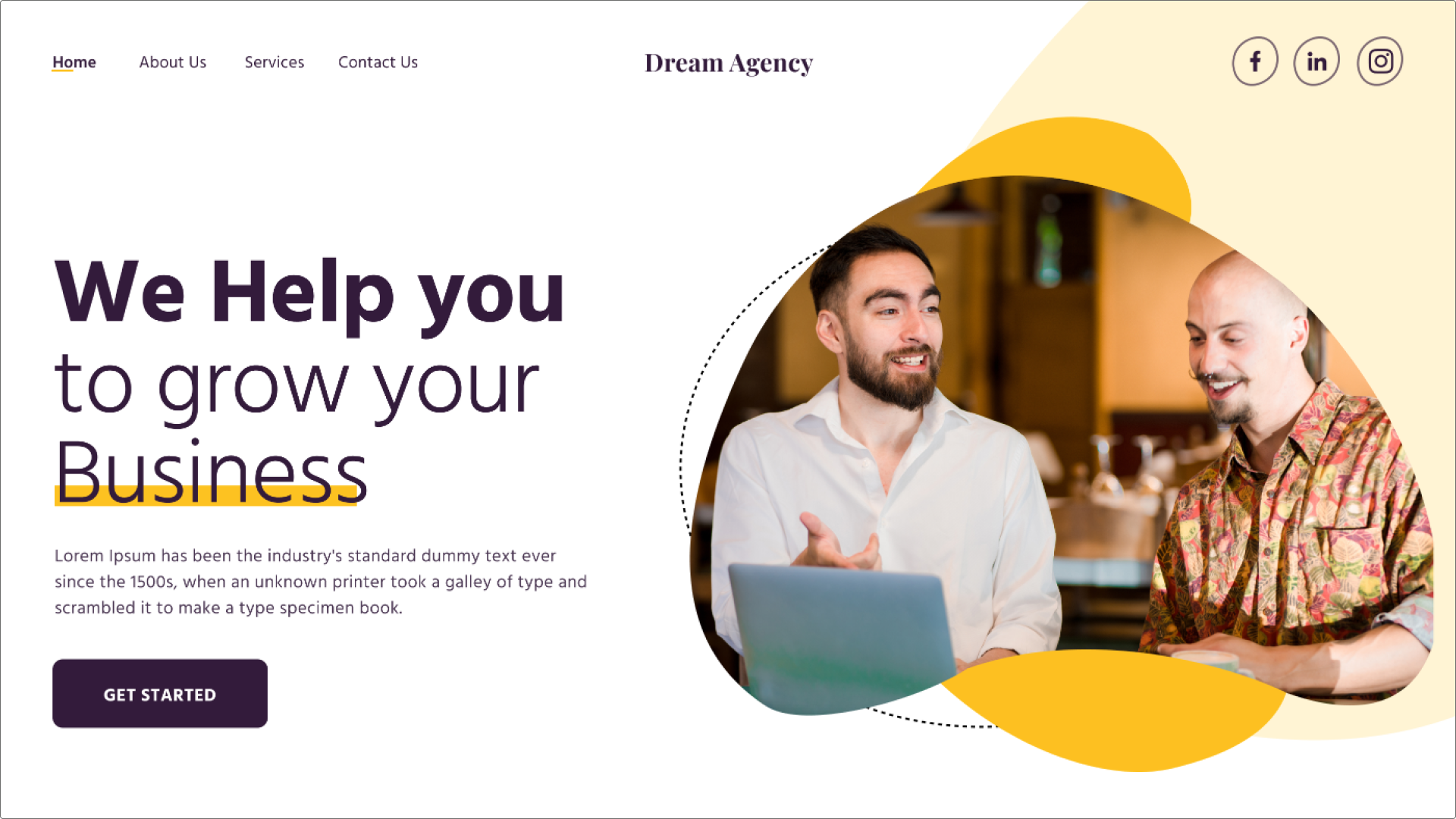
Agency landing pages should clearly communicate your approach, strengths, and results. This agency landing page template emphasizes structure, professionalism, and clarity—backed by strong visuals and client examples.
It features prominent portfolio showcases, clear service offerings broken down into actionable steps, and client logos to instantly establish credibility. The design is professional and minimal, following UX design best practices to ensure the focus remains on the strategic value you provide.
Tip to motivate customer action: Frame your services as solutions to common client problems. For example, instead of “Branding services,” say “We help teams fix inconsistent messaging.” Offer a downloadable checklist or quick audit as a lead magnet.
Make it yours: Adjust the modular sections to highlight your core offering, such as design, development, or strategy, by placing your best case studies higher on the page.
Example 7: Dance studio landing page

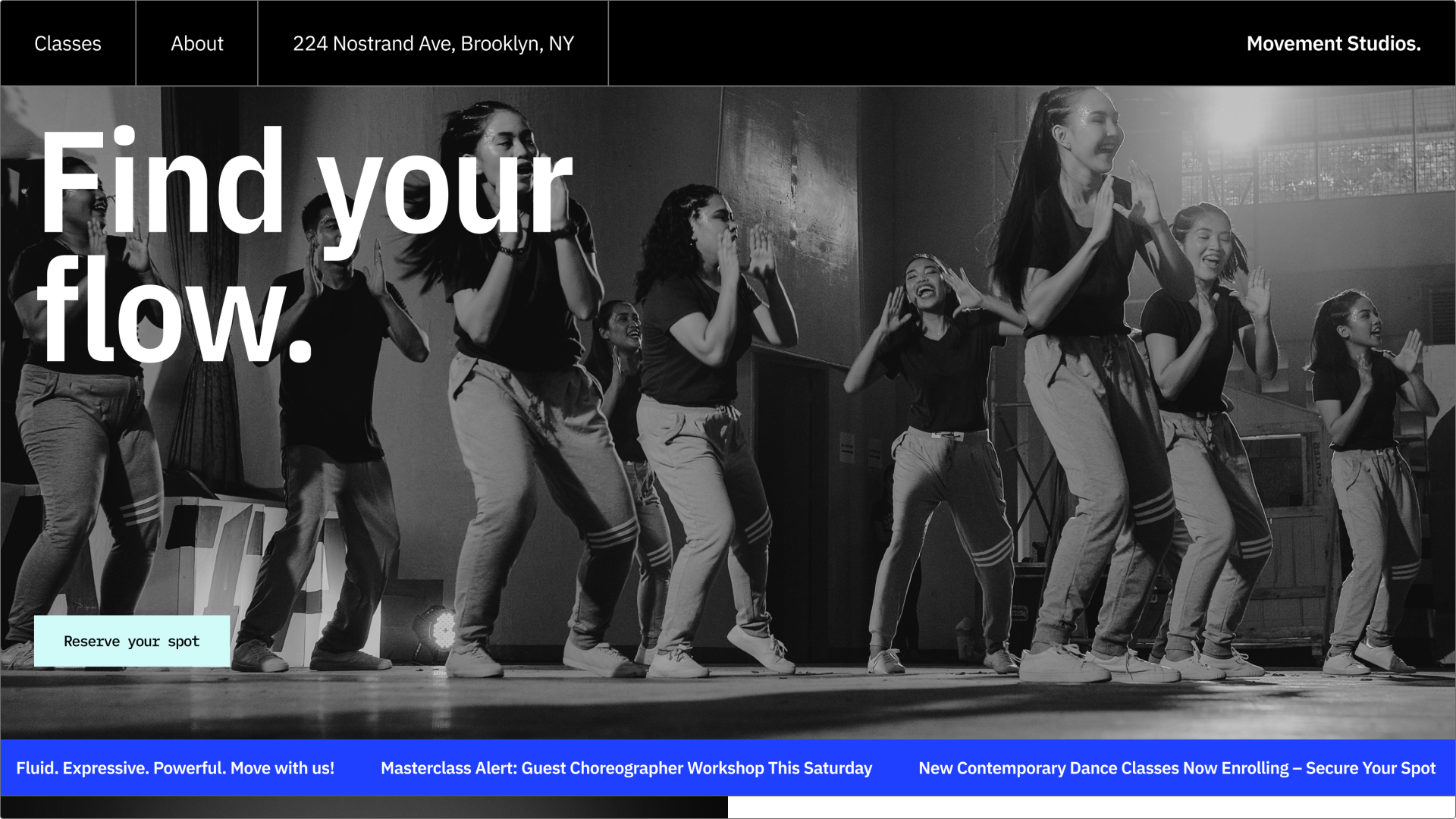
This moody dance studio template uses bold imagery and rich colors to capture the energy of movement. It’s ideal for programs that emphasize artistry, discipline, and personal growth.
Key sections include a dynamic class schedule, instructor profiles that emphasize expertise and personality, and galleries showcasing student performances. It balances artistic expression with the practical information needed for enrollment.
Tip to motivate customer action: Add a short header video to capture the energy of your classes in motion.
Make it yours: Use a script-style font to enhance the artistic tone. Update the class schedule component to be filterable by dance style, time, or instructor.
Example 8: Landscaping service landing page

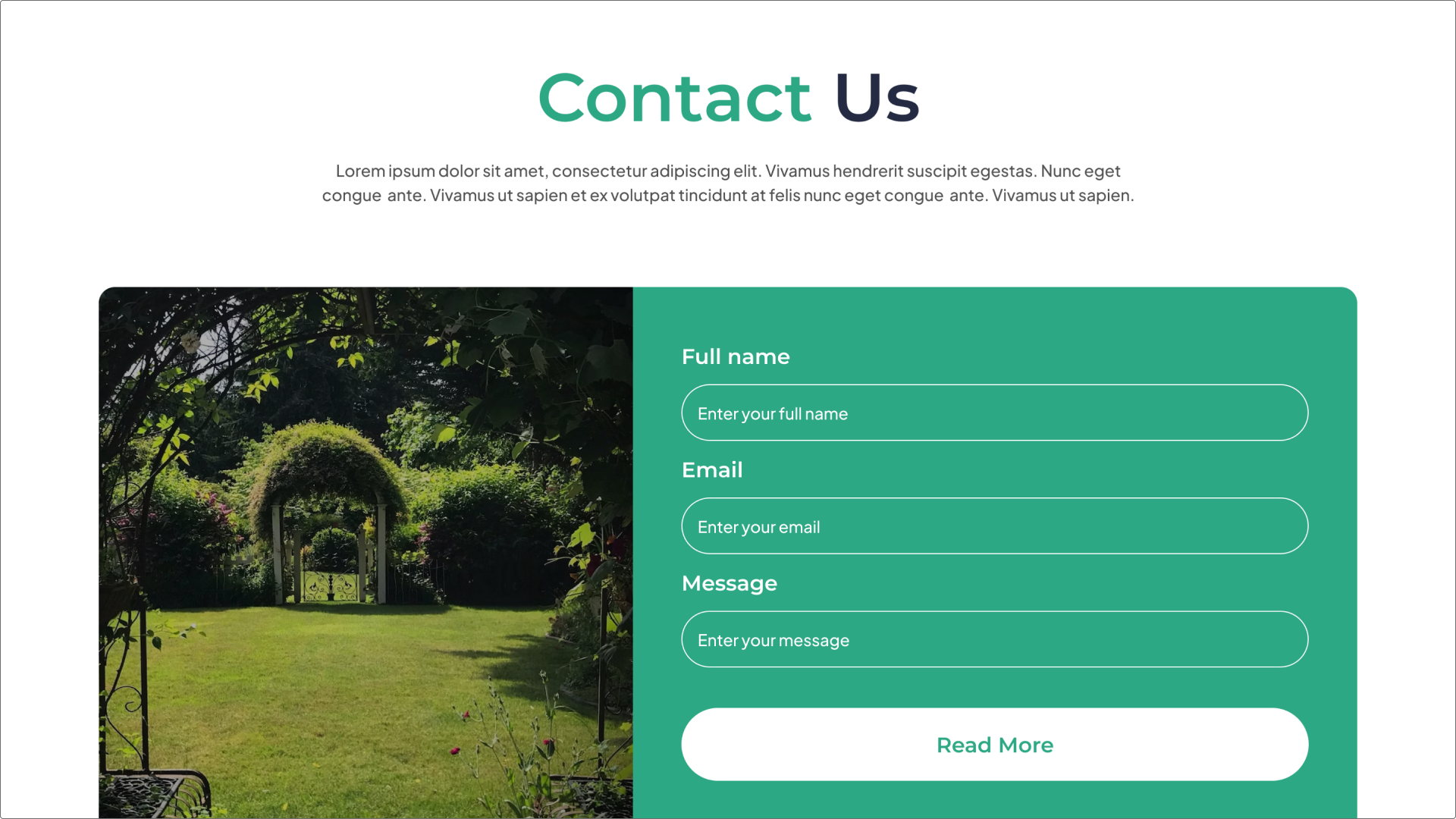
This landscape gardening service landing page leads with high-quality images of finished work to showcase the level of service. The design uses natural, earth-toned colors and a refined layout to suggest high-end, bespoke property care.
It includes dedicated space for service packages, a prominent project gallery, and a clean contact form to request a detailed quote. The focus is on turning great outdoor work into a great online presence.
Tip to motivate customer action: For service businesses, hyper-local targeting is crucial. Mention the specific neighborhoods or areas you serve prominently. Client testimonials help build trust and credibility.
Make it yours: Use a hero image of a standout project that locals will recognize. Customize the palette to reflect your brand or the natural elements you work with.
Want to explore more?
Use Figma templates to create responsive landing pages that drive action.
Example 9: SaaS landing page

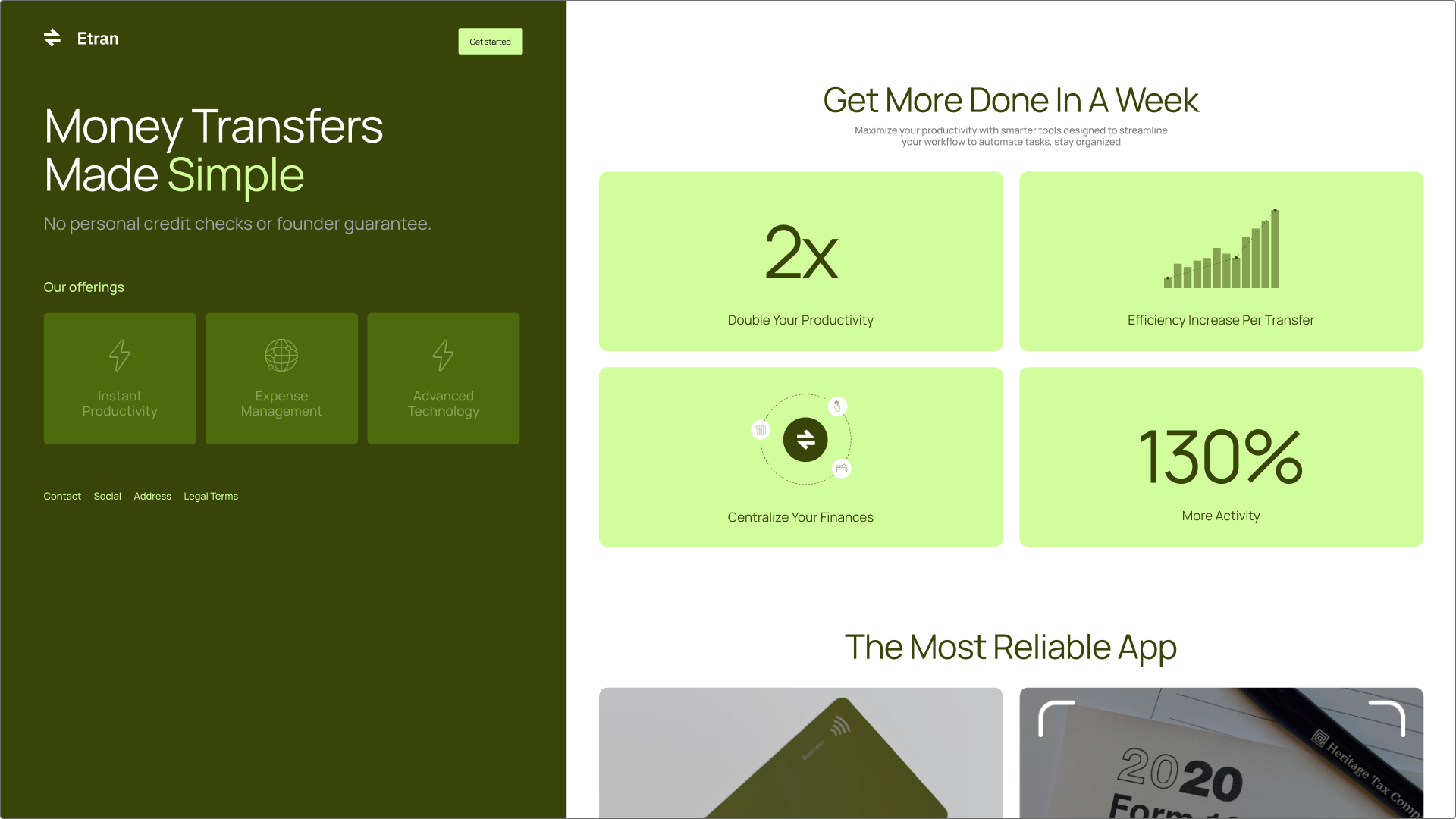
This trustworthy app download template prioritizes clarity and trust. It uses a clean layout to highlight key features, customer success metrics, and product visuals, helping users quickly understand the app’s value.
Tip to motivate customer action: Focus your main headline on the single biggest problem your app solves. Offer a free tier or a risk-free trial to remove friction.
Make it yours: Swap in screenshots of your product, and use custom icons to represent your app’s unique features.
Example 10: Fashion brand landing page

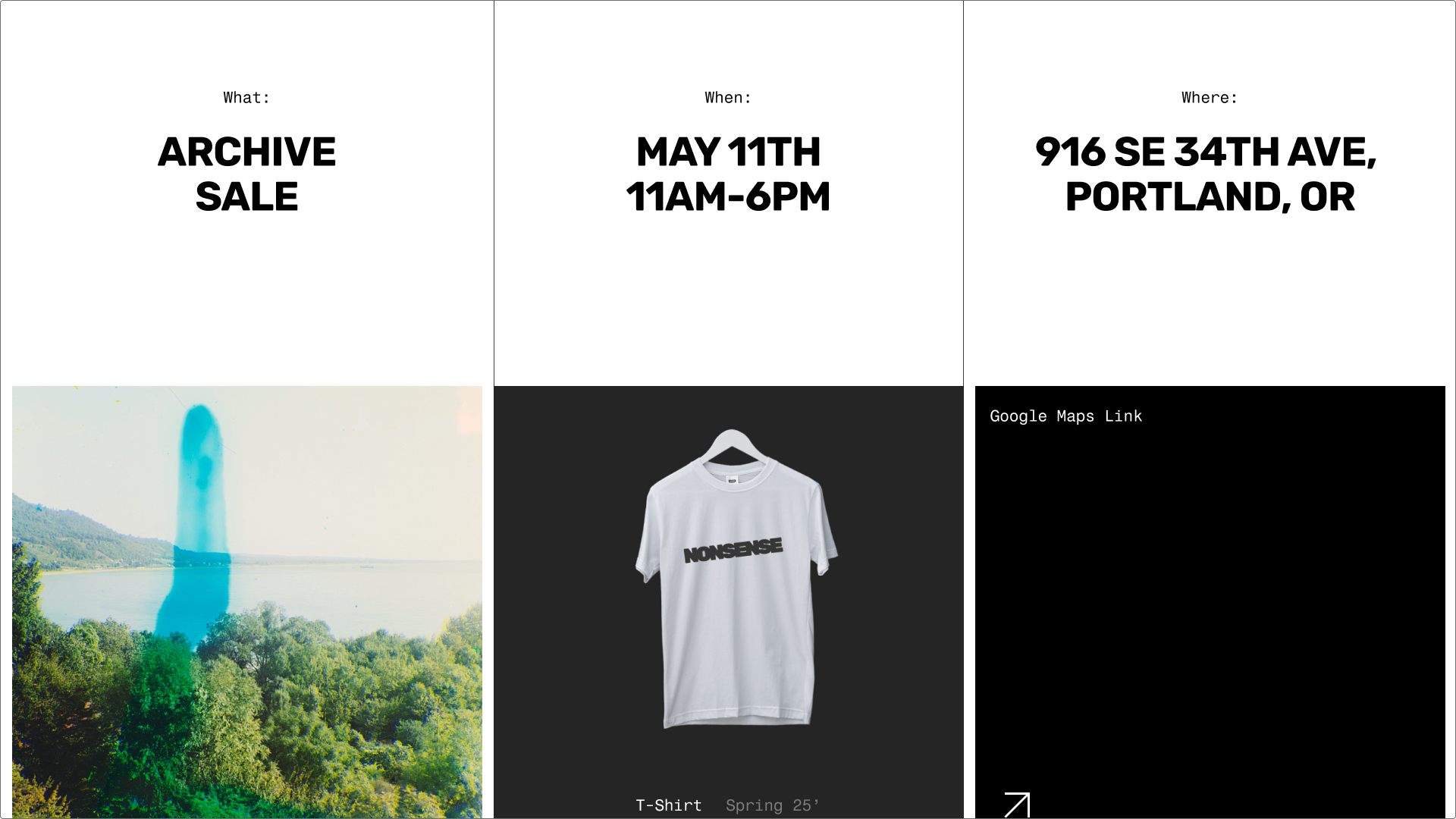
This hip fashion sale template uses bold typography, dynamic photography, and a clear visual hierarchy to immediately grab attention. The design is optimized for limited-time drops or promos, with a layout that encourages quick browsing and action.
Tip to motivate customer action: Add a “Shop the Look” feature or Instagram feed to link inspiration directly to product discovery. Use a strong seasonal theme in your imagery and copy, aligned with the sale date.
Make it yours: Use animations, unique photo collages, or custom styling to reflect your brand’s vibe. Make sure it looks great on mobile, since most shoppers browse on their phones.
Example 11: After-school activities landing page


Parents and guardians prioritize safety, enrichment, and logistics when choosing after-school care for their children. This inclusive after-school club template is friendly and informative—great for building trust with parents and excitement among students. It includes space for logistics, upcoming events, and student spotlights.
Tip to motivate customer action: Use photos and testimonials that create a supportive, welcoming environment. Help parents see why this is the right place for their child.
Make it yours: Change the background colors and imagery to reflect your school or organization’s aesthetic. Then swap out the regional results and news articles with your own.
Example 12: Florist landing page

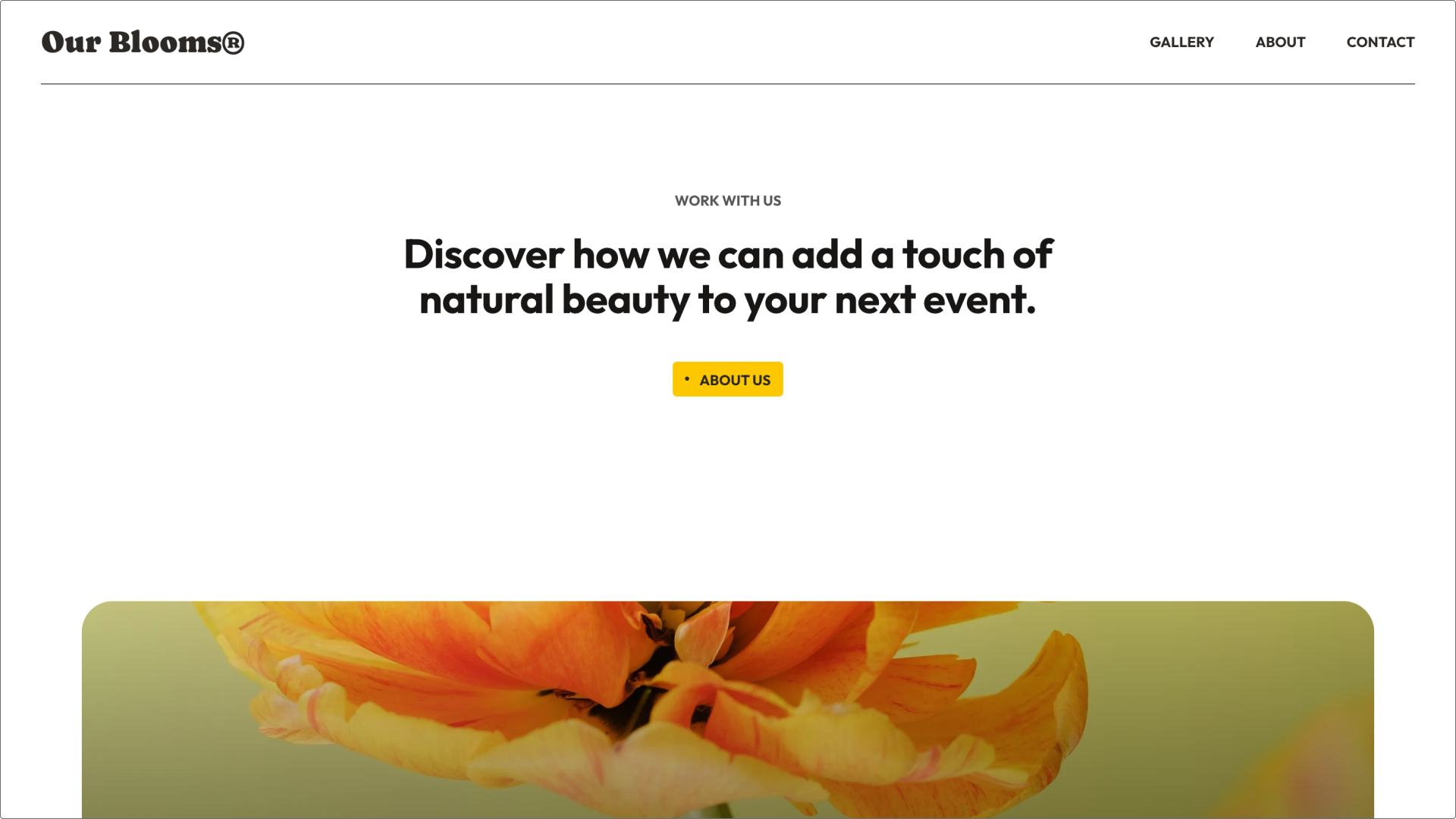
A florist’s website should feel beautiful and simple. This sweet flower shop template uses soft, inviting colors and high-quality floral imagery for an attractive presentation. The layout is optimized for quick browsing by occasion or need, making the path to purchase easy. The design emphasizes local delivery and customization options, appealing to customers seeking personal service.
Tip to motivate customer action: Feature a daily or weekly “Designer’s Choice” arrangement prominently to appeal to customers seeking a quick, beautiful option. Clearly state your delivery radius and same-day cutoff times.
Make it yours: Use seasonal imagery in rotating banners, and add a map to guide visitors to your physical shop.
Example 13: Event landing page

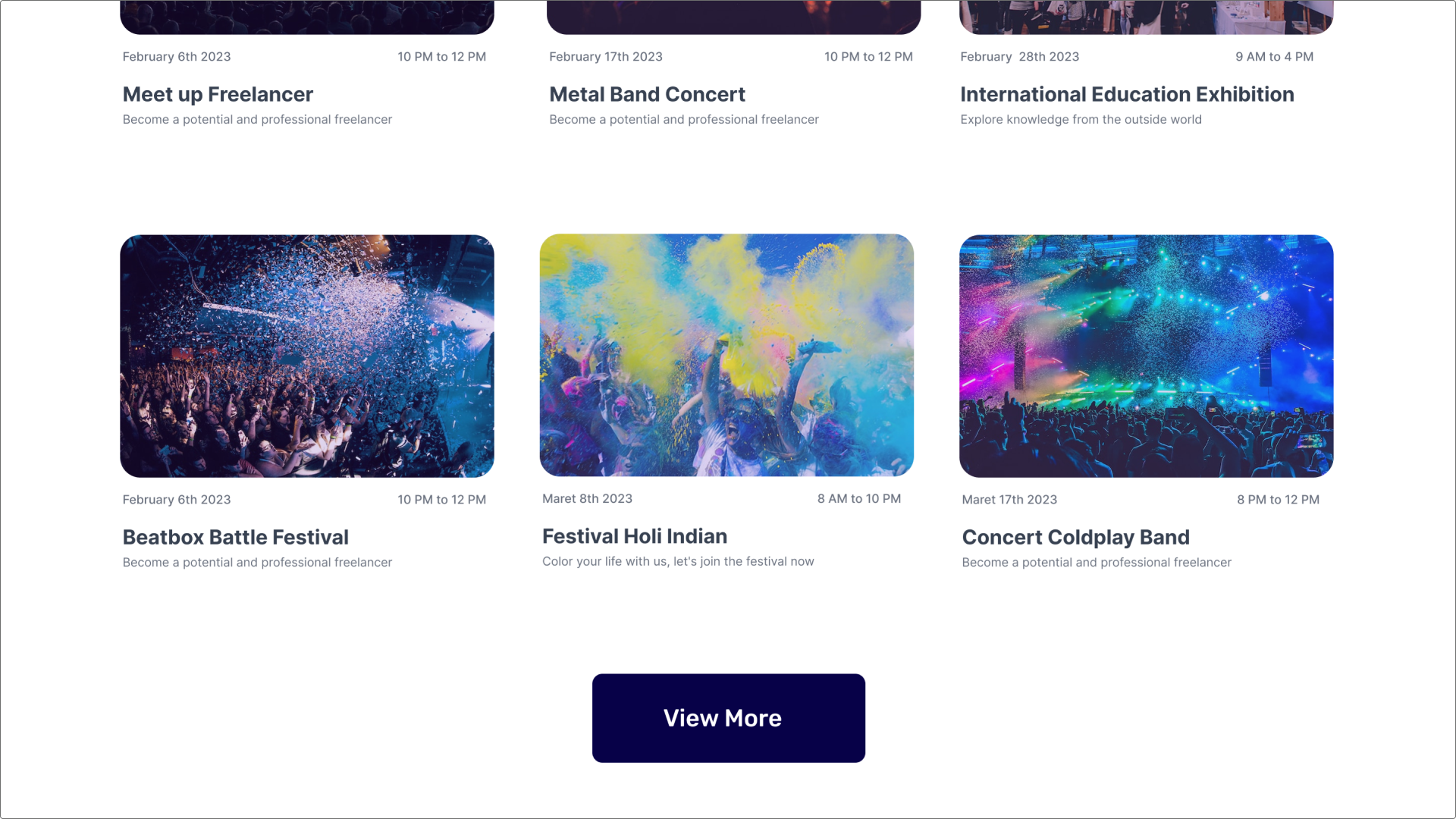
Successful events thrive on shared enthusiasm and clear communication. This event landing page template helps you collect RSVPs and build excitement for a concert or other local events. It prominently features event details, including the date, time, and location, alongside a countdown timer to generate excitement.
Key sections detail sponsors, the event schedule, and an area for video of past events, so attendees have everything they need to commit.
Tip to motivate customer action: Use a social media share button package that pre-populates a compelling message for attendees. Clearly feature a map and parking instructions to eliminate logistical friction.
Make it yours: Connect your ticketing with platforms like Eventbrite or Ticketmaster, and swap in custom visuals to match your event’s branding.
Example 14: Beverage brand landing page

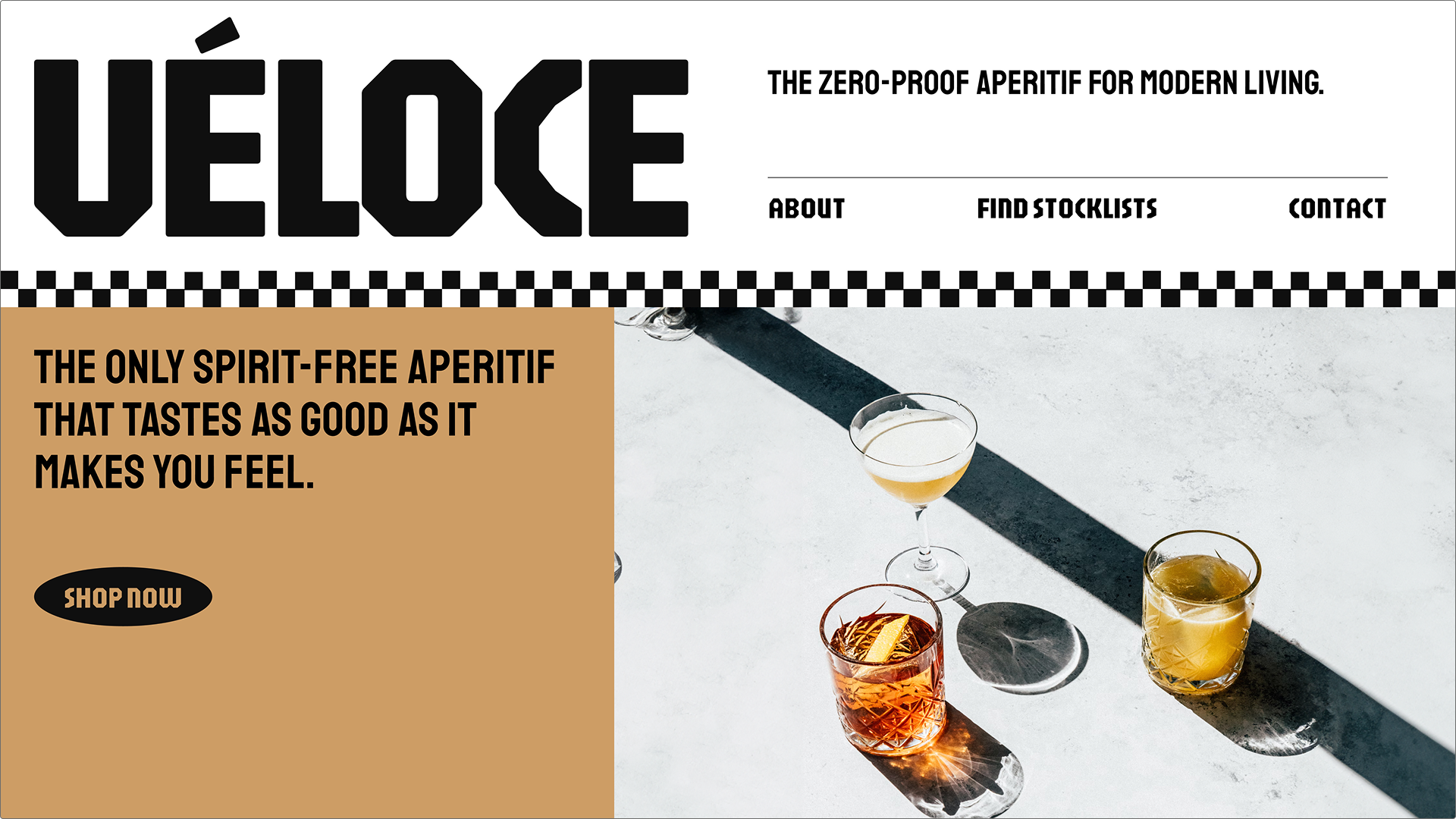
Successful beverage marketing sells a lifestyle alongside a product. This modern retro beverage brand template uses a bold, eye-catching color palette and engaging visual textures to create a strong, memorable brand identity.
The layout is dedicated to showcasing product ingredients, flavor profiles, and the brand’s unique origin story. It strategically places “Find near you” and “Shop now” CTAs to convert interested visitors into immediate customers.
Tip to motivate customer action: Call out what makes your drink special—whether it’s the ingredients, sourcing, or sugar content—and use compelling lifestyle photos to show it in action.
Make it yours: Add a short, dynamic video that showcases the production process, a refreshing pour, or how the brand sources unique ingredients.
Example 15: Band introduction landing page

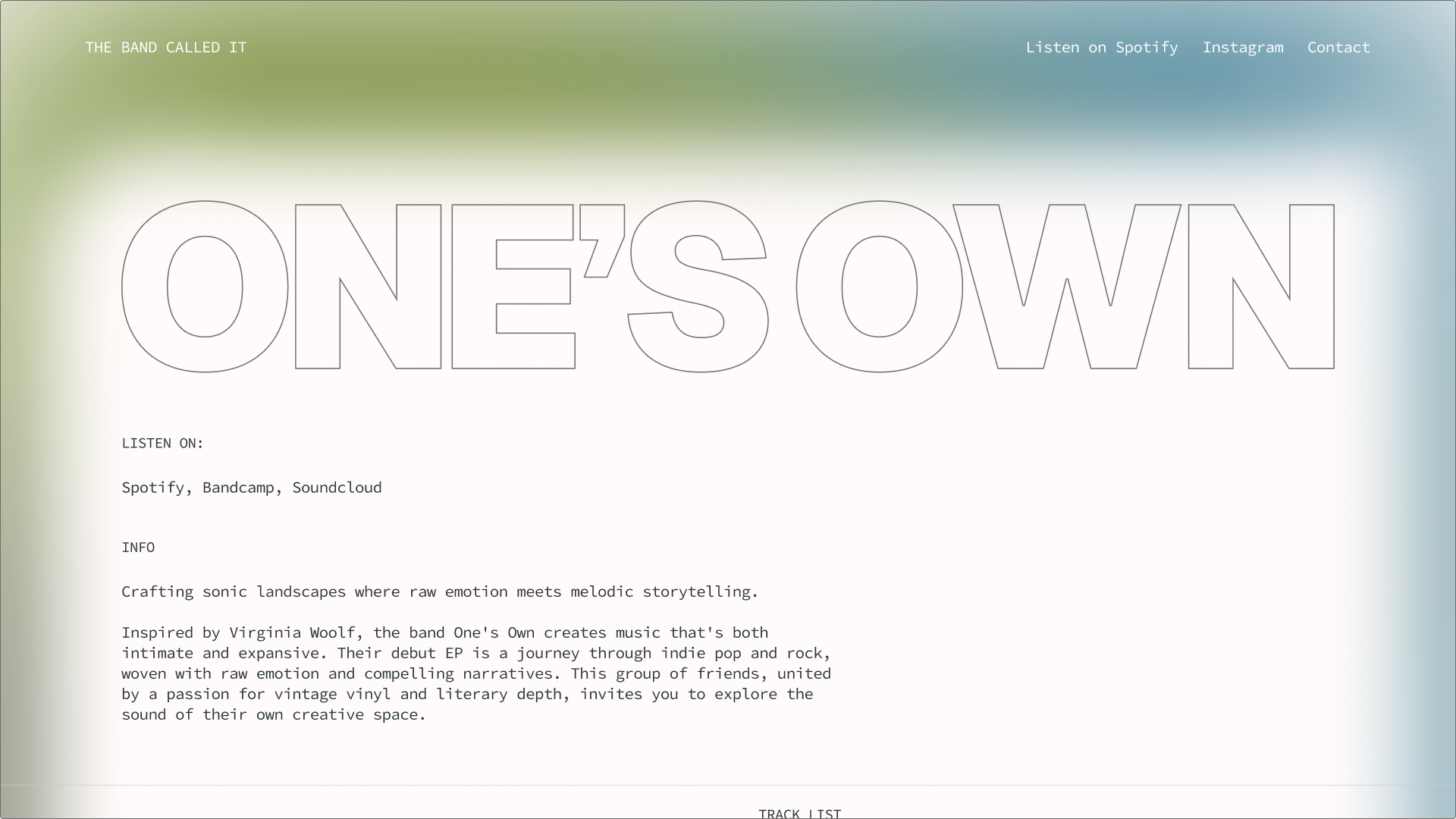
An effective band introduction needs to balance mood with practical information. This template sets a distinct atmosphere with dynamic elements and custom typography that match the band’s musical style.
It’s structured to provide essential resources for media, booking agents, and fans, including tour dates, links to streaming music, and clear contact information. The overall goal is to make the band look professional and get visitors to hit play.
Tip for motivating customer action: Include a dedicated fan section with tour dates and social links, plus a password-protected press kit for easy access by media.
Make it yours: Update the visuals to reflect your latest album or project. Ensure all streaming links are easily accessible via prominent icons.
Example 16: Group event landing page

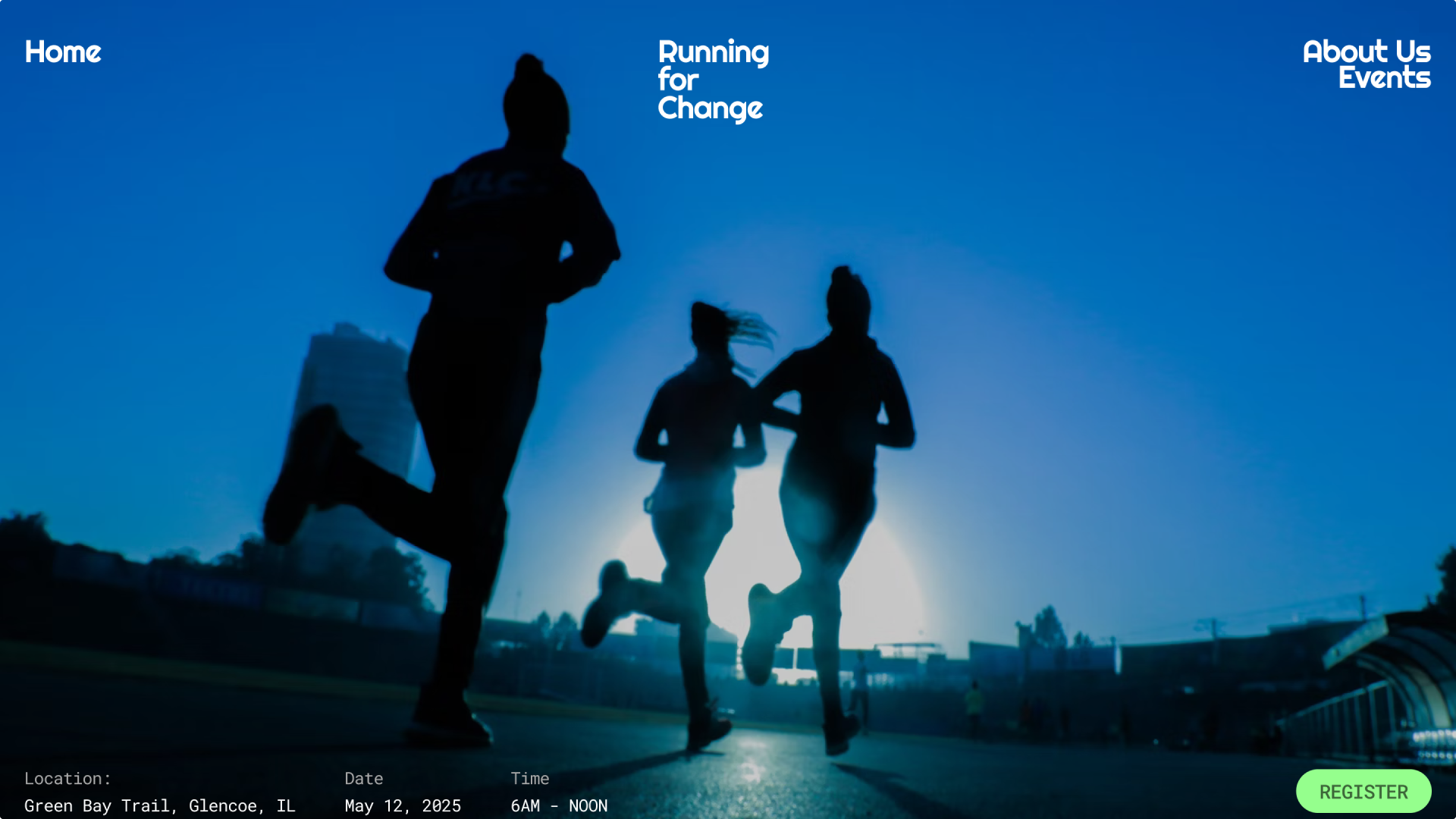
Whether a retreat, conference, or team workshop, a group event needs to communicate value and handle logistics clearly. This group event template is designed for organizational clarity, featuring event details, newsletter sign-up, and a registration button.
The design uses strong contrast and visual blocks to help visitors quickly find essential details.
Tip to motivate customer action: Clearly outline the networking opportunities and tangible takeaways attendees will receive. Offer early-bird pricing and highlight the expiration date to drive quick registration decisions.
Make it yours: Feature images from previous events, and use your event’s color scheme. Add an embedded map or travel info to simplify logistics.
How to build a landing page with Figma
Now that you’ve seen what makes a landing page work, it’s time to build your own. With our AI landing page generator, you can turn a prompt into a high-fidelity layout in seconds. Here’s how to get started:
- Generate your layout. Open the AI landing page generator and type a prompt describing the page you need. Already have a foundation? You can also select an existing frame in Figma Design and use AI to build on top of it.
- Add realistic content. Prompt the AI to populate your layout with realistic data, write targeted copy, or drop in custom images so you can see how the page flows.
- Point, click, and polish. Use the point and edit tool to make targeted visual tweaks. You can ask the AI to change colors, adjust the layout logic, or try a new hero variation without disrupting the rest of the design.
- Prep for handoff. Once your design looks exactly how you want it, toggle into Dev Mode. Use AI to inspect the design and generate clean code snippets so your engineers can bring the landing page to life.
Build your next landing page in seconds
Use Figma’s AI landing page generator to create layouts, write copy, and iterate faster.
Landing page best practices
A landing page’s impact comes down to clear strategy, not just looks. Whether you’re using a Figma template or building from scratch, following these best practices can help ensure your page converts.
- Simple navigation. Minimize or remove top-level navigation. The goal is to keep users focused on a single outcome—not send them elsewhere.
- Compelling CTAs. Make sure your call-to-action buttons are visually prominent. Use contrasting colors, and employ action-oriented language (“Start Your Free Trial,” “Get a Quote,” “Enroll Now”). Ideally, a primary CTA should be above the fold.
- Trust signals. Use elements like security badges, customer testimonials, star ratings, company logos, or privacy policy links to build credibility and reduce hesitation..
- Match intent. Align your page copy with the ad or link that brought users in. Consistent messaging keeps bounce rates low and trust high.
- Clear visual hierarchy. Use design elements like size, color, spacing, and font weight to guide the visitor’s eye through the page in a logical order, from the main value proposition to the supporting features. The most important information (headline and CTA) should be the most visually dominant elements.
Improve brand visibility with Figma Sites
Landing pages are essential sales tools, and these landing page examples show how effective they can be when built on a flexible platform. By starting with a template and customizing it in Figma Design, you can quickly create high-converting pages that clearly articulate your brand’s value.
Here are a few ways to get started:
- Select an optimized design from our collection of website templates.
- Create your own brand assets with Figma Buzz.
- Use FigJam to craft a vision board and map out your concepts.
- Design, prototype, and publish your website with Figma Sites.
Ready to start designing?
Create responsive websites and bring your ideas to life with Figma Sites.
Keep reading


10 personal website examples + templates
See 10 personal website examples and templates for portfolios, resumes, and more, plus tips for how to design your own site with Figma.

How to create a one-page website
One-page websites put all the important information on one scrollable page, making navigation easy for users. Learn how to create a one-page website following four simple steps.